













Dice Casino Mobile — Play Anywhere on Your Smartphone
You've probably heard it: mobile gambling is supposed to be dangerous, apps drain your battery, and you can never really win through your phone. Time to debunk those myths. As a beginner player, you deserve facts, not fairy tales that might keep you from a perfectly good gaming experience.
Contents
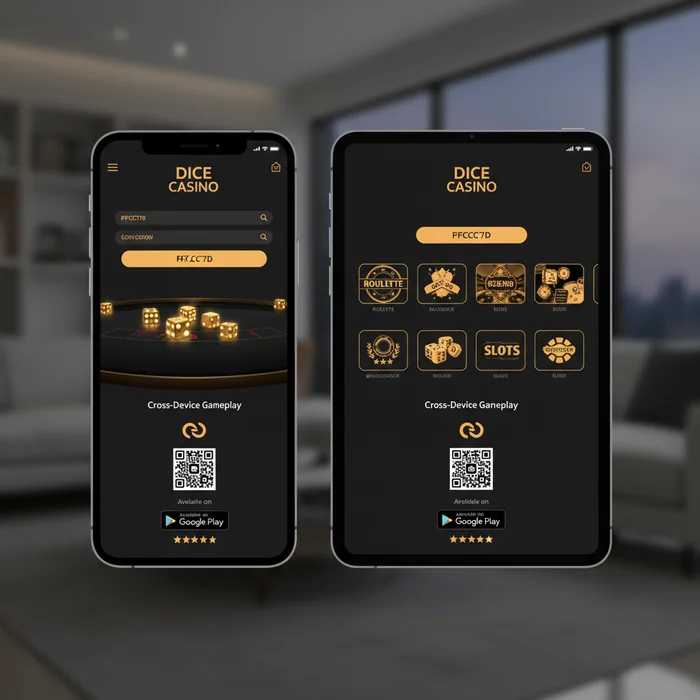
Myth: Casino Apps Drain Your Battery
This myth originated in the early days of mobile gambling, around 2010-2012, when apps were indeed poorly optimized. Nowadays, developers work with energy-efficient frameworks. Dicecasino1, for example, uses progressive web app technology alongside native apps, which means only active gaming processes consume power.
Why is this story harmful? Beginners are scared away from mobile gaming when it's actually the easiest way to learn. You can play for five minutes during your coffee break without your phone complaining.
Myth: You Need Gigabytes of Storage Space
This misconception stems from confusion between the app itself and the temporary cache that games build up. Yes, after weeks of use the cache can grow to 400-500MB, but you can clear it with one tap in your phone settings without deleting the app.
For beginners, this is crucial to know: you don't have to empty your entire phone. Do you have an entry-level smartphone with 32GB storage? No problem. The app fits right in, alongside your WhatsApp, Spotify and other daily apps.
Compare that to Instagram (about 250MB) or Facebook (often more than 400MB), and you'll see that casino apps are actually modest. The games themselves load dynamically when you open them, so you're not downloading thousands of slots in advance.
Myth: Mobile Gaming Only Works With WiFi
This myth particularly harms commuters and people who want to play on the go. They think they're tied to their home network, when you can easily play during your train ride to work.
Slots use slightly more data than table games because they're visually richer, but even then we're talking about 40-60MB per hour. Live dealer games are the only category where you really want WiFi, because they use video streams. For a beginner player mainly trying slots and roulette? Your 5GB bundle will easily hold up.
Handy tip for newcomers: set a data limit for the Dicecasino1 app in your phone settings. For example, 200MB per month. Then you'll get a warning before you use too much.
Myth: Mobile Payouts Take Longer
This story probably arose because early casino apps had limited functionality. Around 2015, players indeed often had to go to the desktop version for financial transactions. That era is over.
For beginners, this means: you can withdraw your first win directly via your phone. Open the app, tap on your balance, choose your payment method (iDEAL, Trustly, or whatever you used for your deposit), and done. No hassle with logging in on a computer later.
Dutch players especially appreciate this because iDEAL withdrawals are already fast anyway. The app doesn't change that speed. You get the same confirmation emails, the same tracking options.
Myth: Mobile Apps Are Less Secure
This fear stems from general uncertainty about mobile technology. People understand their computer better than their smartphone, so they trust it more. Unjustifiably.
Dicecasino1's app, for example, uses SSL encryption (the same as online banking), plus you can log in with Face ID or fingerprint. Try that on your laptop. The app doesn't store passwords in plain text and asks for reconfirmation for large transactions.
For beginners: always use the official app from the App Store or Google Play Store. Never download casino apps from unknown websites. That's where real risks lie.
Myth: You Miss Out on Games on Your Phone
This misconception dates from the period 2012-2016 when Flash games dominated. Those didn't work on mobile, so mobile catalogs were indeed limited. Since the switch to HTML5 around 2017, that difference has disappeared.
For a beginner player, this is great news: you can try all popular slots on your phone. Book of Dead, Starburst, Gonzo's Quest – they all run smoothly on modern smartphones. Even live dealer games are available, although those use more data as mentioned.
Small caveat: some very old games from obscure developers work better on desktop because they're not optimized for touchscreens. But those are usually games you wouldn't look for as a beginner anyway.
Myth: Installing Apps Is Complicated
This fear particularly holds back older beginners. They think online gambling requires complicated software. Nothing could be further from the truth.
The process for a complete newbie: open your app store, type "dicecasino1" in the search bar, tap on the Dicecasino1 icon (recognizable by the logo), press "Install" or "Get", wait about two minutes. The app appears on your home screen. Open it, log in with your existing account or create a new one.
Only point of attention for Android users: sometimes you need to allow "Install from unknown sources" in your security settings. The app itself explains this with a pop-up if necessary. For iOS users, there's nothing extra needed at all.
After installation, the app asks if you want to receive push notifications for bonuses and promotions. You can safely decline if you don't want notifications. It doesn't affect your gaming experience.
How Do You Recognize Nonsense About Mobile Gambling?
Now that you know these myths, how do you prevent being misled again in the future? Watch for these red flags in articles or forums:
Outdated information without a date. If someone writes about "mobile casinos" without mentioning when that experience was, it's probably about technology from five years ago. Always ask: when was this?
Vague claims without specific examples. "Apps are dangerous" is useless. "The Dicecasino1 app doesn't use two-factor authentication" is a concrete claim you can verify.